
Fix Missing Discord Channel Permissions
Use this guide if NotiCord says it cannot send in a Discord channel yet, cannot create or update an automation channel or thread, if the viewer needs access, or if the app shows missing channel permissions.
Add or reconnect the bot
The Discord account that adds or reconnects NotiCord must be the server owner or have Manage Server permission. This is required for the server install step. Normal use after setup depends on the bot's channel permissions below.
Required permissions
| Surface | Permissions |
|---|---|
| Notifications, previews, and published Discord panels | View Channel, Send Messages, Embed Links, Attach Files, and Send Messages in Threads |
| Automations that create channels | View Channel and Manage Channels |
| Automations that update channel access | View Channel, Manage Channels, and Manage Roles |
| Automations that create public threads | View Channel, Send Messages, Create Public Threads, and Send Messages in Threads |
| Automations that create or add people to private threads | View Channel, Send Messages, Create Private Threads, and Send Messages in Threads |
| Pasted Notion link previews | View Channel, Send Messages, and Embed Links (plus Send Messages in Threads when the message is in a thread) |
| Discord viewer | View Channel and Read Message History |
Fix the permissions in Discord
- Right-click the target channel in Discord.
- Click Edit Channel → Permissions.
- Add NotiCord if it is not already listed.
- Enable the permissions that surface needs.
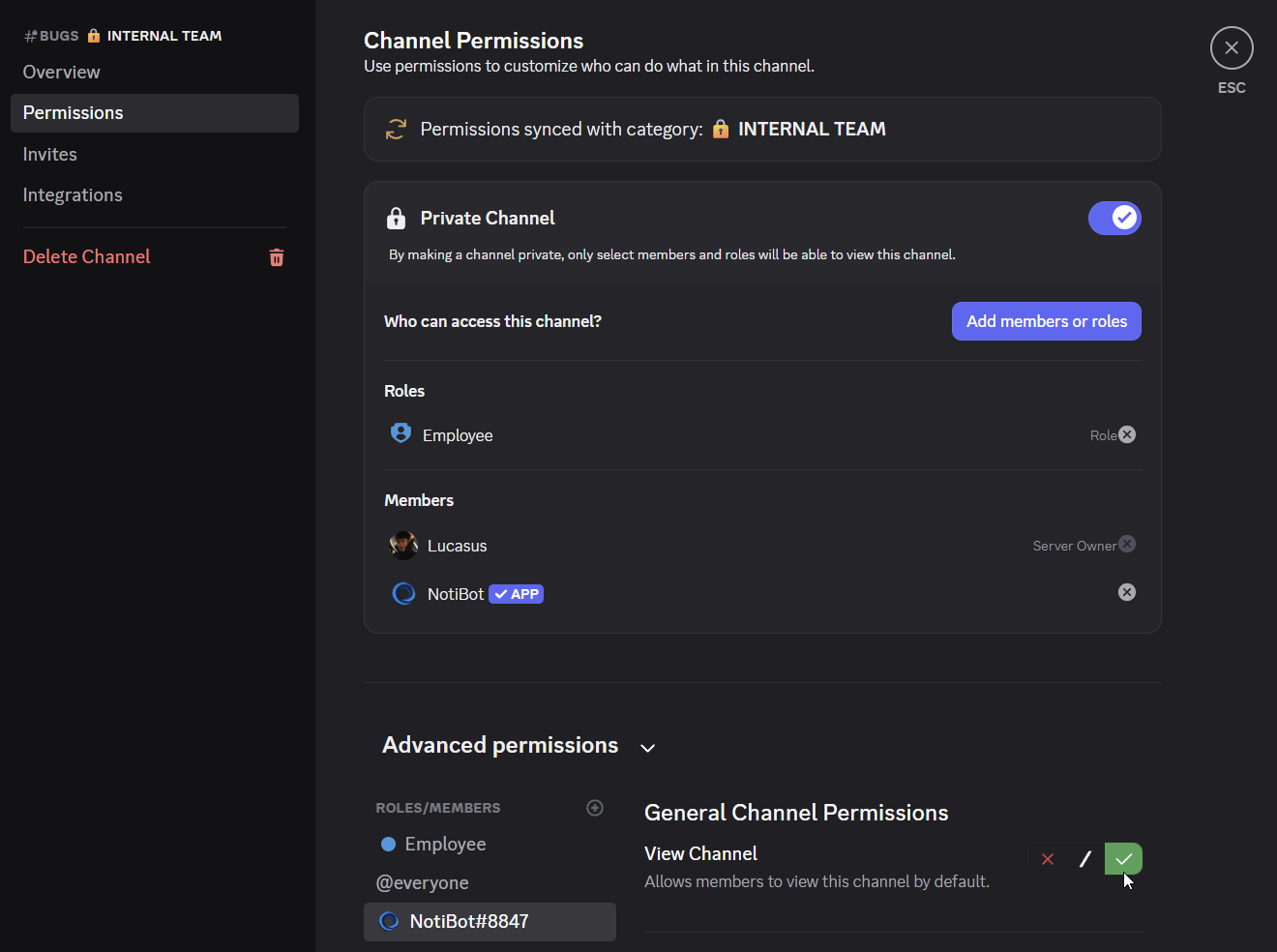
Check whether the category controls the channel
If the channel shows Synced, fix the parent category. If it does not show Synced, fix the channel itself.
If the channel is gone or inaccessible
Discord does not provide NotiCord with the name or other private metadata of a channel the bot cannot view. Those channels do not appear in pickers. If a saved destination becomes hidden, NotiCord shows it as unavailable until access returns or you choose another channel.
Channel-created and thread-created Automations also ignore channels and threads NotiCord cannot view. They begin reacting to later visible events after access is restored.
An unavailable warning can also mean the channel was deleted or moved to an unsupported type.
In that case, either restore access in Discord or choose a different channel in NotiCord.
Try again in NotiCord
After fixing the channel:
- Return to NotiCord.
- Click Recheck permissions if that action is shown.
- Reopen the channel picker or save the form again if needed.
- If a notification rule was auto-paused, turn it back on from the rule list.
If the rule is still blocked after that, use Notifications are not sending.